Created Infographic with Canva
This week i created the infographic using Canva, Infographics are a powerful tool for organizing and presenting information and telling a story. This infographic is about Mayer’s Principles of Multimedia learning which i studied in Module 1 (EDCI 337). I only showed the Extraneous cognitive load in my infographic because extraneous load is a cognitive load caused by poor design, as i am a computer science student so presentations, making website, course projects are daily part of my student life and to keep the design perfect so that viewers/users/teachers can easily understand and learn is something the 4 principle of extraneous cognitive load can help with.
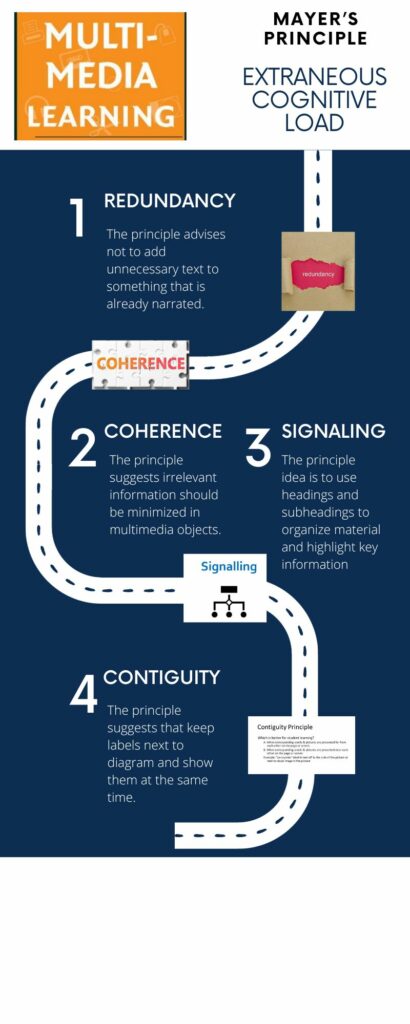
The Graphic Design Principle i kept in mind while creating infographic are:
Balance: It gives a design its form and stability. it can be symmetrical and asymmetrical. In the infographic, i wrote one principle on top, two principle’s in the middle and 4th at the end to keep it balanced.
Hierarchy: Establishing an order of importance in a design by giving extra visual weight to your most important message. In the infographic, i formatted the design in this way Multimedia learning> Mayer’s principle > Extraneous cognitive load > the 4 principle and then their images and text.
Contrast: It leads you draw out the most important elements of a design and add emphasis, it can create visual interest and hierarchy in a design. In the infographic, I highlighted the title and timeline in the different colour and size. The principle heading are big, while their text are small.
Alignment: It helps ensure a sharp, ordered appearance for better designs by ensuring the various elements designs have a pleasing connection with each other. In the infographic, Principle 1, 2 and 4 are on left alignment with each other and 2 and 3 are also aligned with each other.
Negative Space: i left a lot of empty space in the infographic for the sole purpose of making the infographic look more effective.
WAVE Accessibility Checker
Question: What did you find when you ran the WAVE accessibility report on your blog post(s)? What did you expect and what was surprising? Is there anything you will do differently going forward?
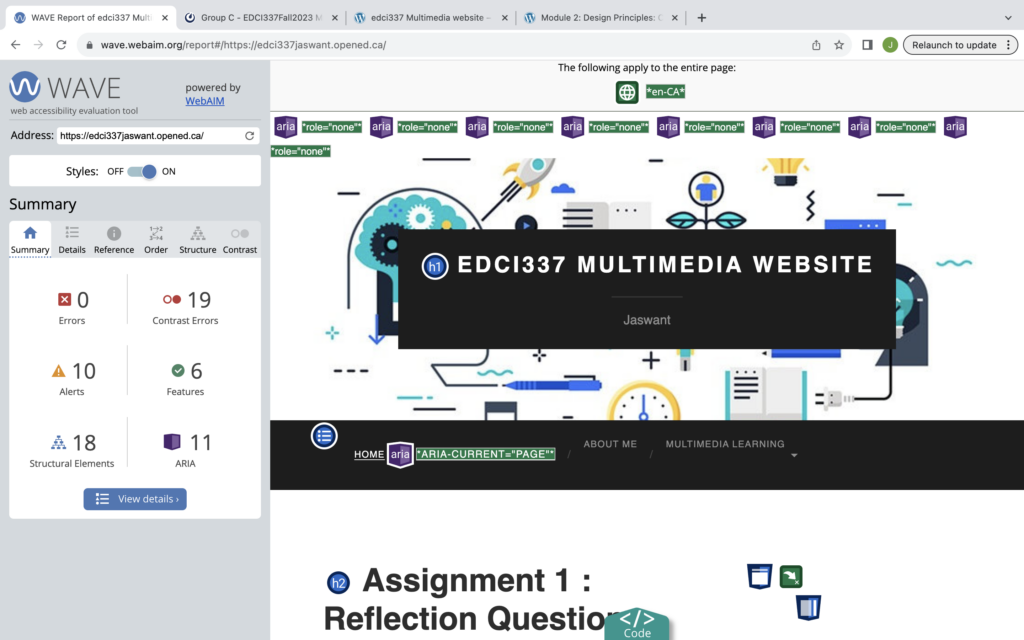
This was my first time exploring something like WAVE. I was really surprised with my results as i got 0 errors. I got 19 contrasting error when i clicked on the red icon it said “low contrast between text and background colour”. There were 10 Alerts which was basically all links in the blog. There were also 6 Features, 18 Structural Elements and 11 ARIA in the report.
Going forward, whenever i will post any blog or something. i will do a WAVE accessibility report on the blog post and follow the results and try to reduce the errors as much as possible.
Text to Speech using Read Aloud for Chrome
Question: Have you used Text to Speech tools before?
I have often used tools like google assistant, Alexa, Siri. Further, i have used speech tool for pronunciation or transcript but i have never used text to speech tools.
Question: What do you notice about the way it reads this page? If you closed your eyes would you have a good idea of what we were talking about?
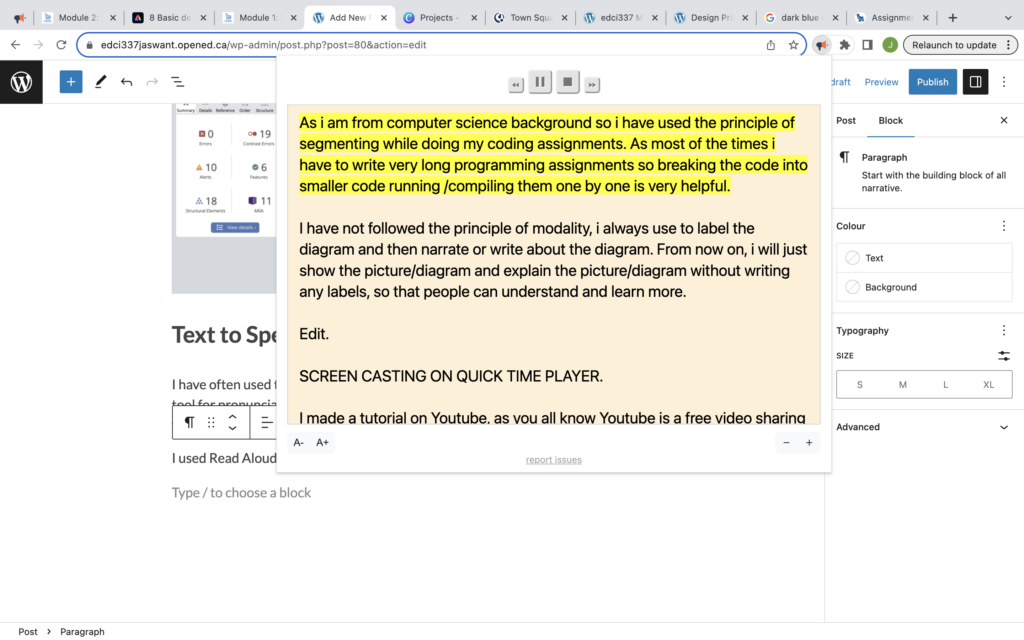
I used Read Aloud to read my module 1 blog posts. The tool is very easy to use, you can activate it by going to extension on the top right near the bookmark tab. Once you have activate it, it will start reading text on your screen. you can see the highlight text in the below screenshot, this yellow part is the text the Read Aloud tool is reading. you can also do pause and next and previous by using the buttons. Yes, if i close my eyes then i will be able to have a good that the Read Aloud tool is reading my blog post.
Question: Did you try out some of the different voices? What impact did the different voices have on your ability to absorb information?
The best thing i liked is that we can also change the language, the speed, pitch and volume by going to the setting. i tried many different voices, some were funny to me, i also tried local language and the surprising thing is that the tool can translate the whole text to that language. The impact of different voices is that you can always switch to another voice if you are having any issue or problems.
Question: Did you find it useful?
Example: i wrote a long essay and now i want to check the essay by reading what i wrote, instead of reading i can just use Read Aloud tool and it will do the reading for me and i can just listen carefully and if i find any problem i can easily fix it. So i find this tool very helpful.
References: module 1 , module 2 and some google images for infographic( redundancy, coherence, signaling and contiguity).


